
 Link in Bio
To add a link to an Instagram Story, use the Link sticker: open the Stories camera, tap the sticker icon, choose Link and paste the URL. Since October 2021, Instagram has opened the Link sticker to all accounts, with no follower minimum. The only exceptions it named are new accounts and accounts that repeatedly share content that breaks its Community Guidelines.
- Tap the + at the top of Instagram to open the Stories camera.
- Take a photo or video, or pick one from your camera roll.
- Tap the sticker icon in the top bar, then Link.
- Paste the URL and change the sticker text to the action, such as "Watch the episode" or "Shop the kit". Tap Done.
- Drag the sticker where it should sit.
- Share to Your story, or to Close friends if only that list should see it.
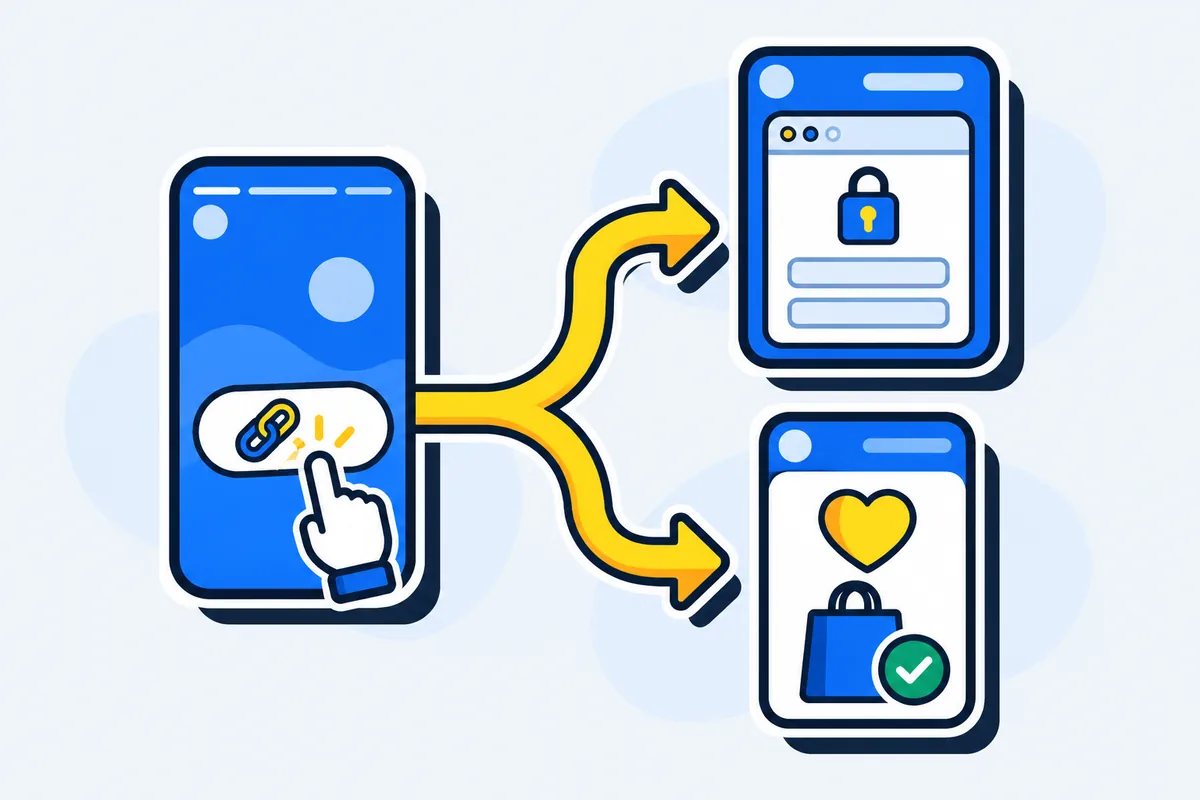
What you paste into the sticker decides where the tap lands. A plain YouTube link opens YouTube's website inside Instagram's browser, where Subscribe asks for a login. A LinkTwin link in the sticker opens the YouTube app on that video, where your viewer is already signed in. Give each Story its own LinkTwin link and you also see that Story's taps on their own, apart from the taps on your bio.
What a follower gets when they tap
Instagram's help page says its in-app browser lets people view websites from posts, ads, Stories or messages without leaving the app. That browser doesn't share your follower's logins, which is why a plain link lands them signed out. The Instagram link opener shows both taps side by side.
| Where the sticker points | A plain URL | A LinkTwin link |
|---|---|---|
| An app (YouTube, Amazon, Spotify and 100+ others) | The website inside Instagram's browser, signed out | The app, already signed in |
| Your website, shop or booking page | Instagram's browser | The phone's browser, such as Safari or Chrome |
| An app that isn't installed | The website inside Instagram's browser | The web page in Safari or Chrome |
Links to your own website or shop are included on every paid plan.
Put a LinkTwin link in the sticker
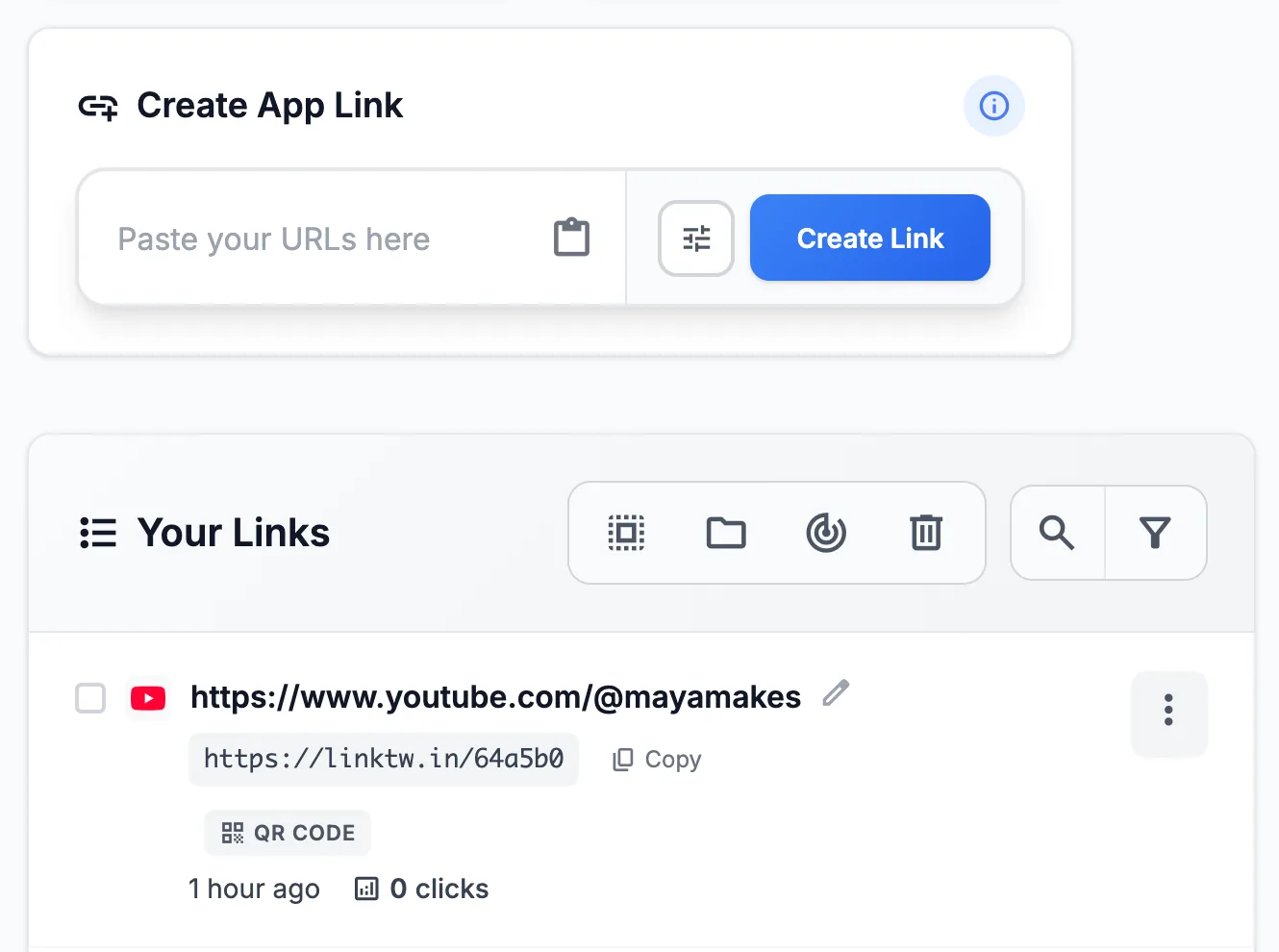
- Paste the destination into the Create App Link box in your LinkTwin dashboard.
- Copy the short link LinkTwin returns.
- Paste that short link into the Link sticker and write the action on it.
- Post the Story, then tap the sticker on a phone that has the app. It should open the app, not a website inside Instagram.
- Make a new short link for the next Story you want to count on its own.
The same short link works in your bio and in DMs too, which is what the Instagram links that open the app page is about. The sticker is just one more place to put it.
A custom ending, such as linktw.in/new-episode, is available from the Medium plan.
The free plan includes 10 links and 500 clicks a month.
Count the taps on each Story
Instagram lists link taps among a Story's insights, and you need a public account, personal or professional, to see them (Instagram's steps).
A separate LinkTwin link per Story gives you that Story's taps in detail. Its click report shows clicks over time, country, city when it can be located, device and operating system, browser, and the source, for that Story alone. In LinkTwin, a tap on a Story and a tap on your bio both arrive from Instagram, so a separate link is what keeps them apart. Add a + to the end of the short link (linktw.in/new-episode+) to open its stats. LinkTwin counts clicks, not sales or subscribers.
Link sticker not showing?
The 10,000-follower rule people still repeat is gone: since October 2021 the Link sticker has had no follower minimum. A missing sticker isn't a follower goal you haven't reached, so check these instead:
- Update the Instagram app, then open the Stories camera again.
- Make sure you're composing a Story, not a Reel. The Link sticker lives in the Stories camera.
- If the account is new, give it time. Instagram doesn't say how long the wait is.
- If the account has repeatedly shared content that breaks the Community Guidelines, that's the other exception Instagram named.
What to write on the sticker
Name the result and start with a verb: "Watch the episode", "Shop the kit", "Save the recipe". A sticker that only says "Link" makes the follower guess what's behind it.
Common questions
Can you boost a Story that has a Link sticker?
No. Instagram's Boost page rules out Stories with link stickers, polls, quizzes or music. To run a Story as an ad with a link, add the link as the action button while you set up the boost, on a Story with no sticker on it.
How many links can you add to one Story?
Instagram's help pages don't give a number, so plan on one Link sticker per frame and use the next frame for a second link. When a Story has several places to send people, put your link in bio, a LinkTwin bio page, in the sticker instead: opened from Instagram, each app button on it opens its app, and the page is still on your profile after the Story is gone.