
 Link-in-Bio Comparisons
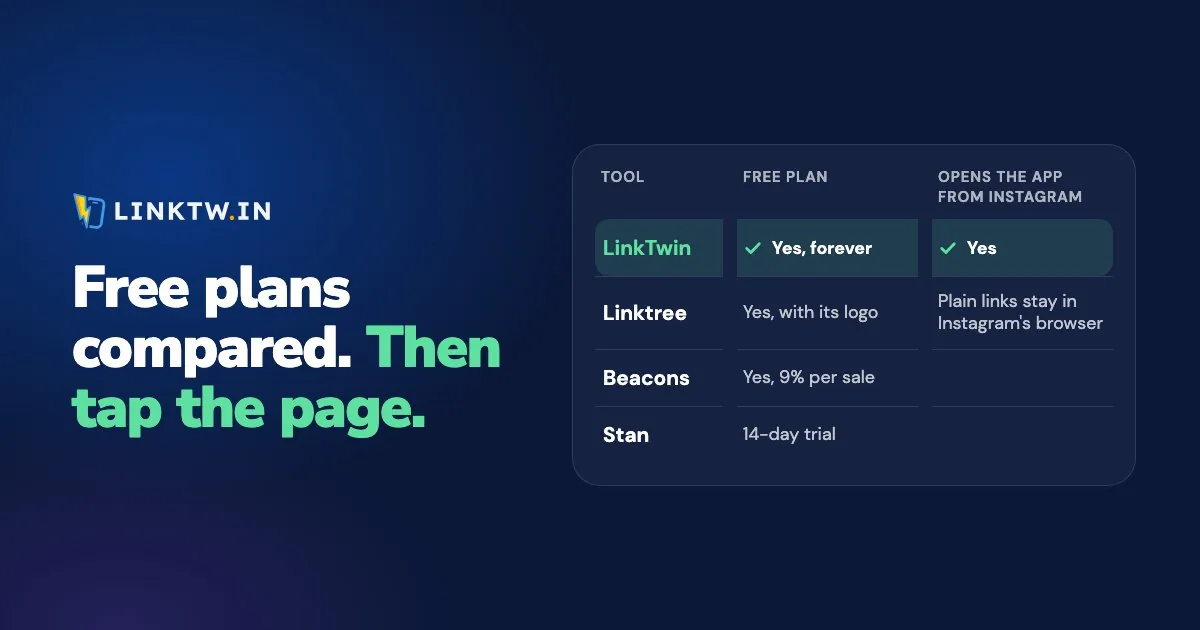
The best link in bio tool for someone who posts on Instagram is the one whose buttons open the app your follower already uses (YouTube, Spotify, Amazon) instead of a signed-out page inside Instagram. Ranked on that first, then on the free plan, seller fees and custom domains, the order is LinkTwin, Linktree, Taplink, Beacons and Stan.
We read each tool's own pricing page and help center in November 2026, and every rival fact below links to the page it comes from. Prices are in US dollars, before tax and payment processing.
Key takeaways
- LinkTwin is the only tool here whose own pages say every button opens its app: YouTube, Spotify, Amazon and 100+ others.
- Linktree documents app opening for products in its US-only Shop, and Taplink for its social network and messaging links. Neither documents it for other buttons.
- Linktree doesn't support custom domains, and Stan offers one only on its Creator Max plan.
- Beacons takes 9% of each sale on its Free and Creator plans.
The ranking at a glance
| Tool | What its own pages say a YouTube, Spotify or Amazon button opens from Instagram | Free plan | Seller fee | Your own domain |
|---|---|---|---|---|
| 1. LinkTwin | Opens the app (100+ apps). Websites move to Safari or Chrome | Yes: 10 links and 500 clicks a month | No checkout, so no fee | Yes, from the Medium plan |
| 2. Linktree | Documented for Shop products from retailers such as Amazon (US only) | Yes: unlimited basic links | 0% from Pro, $14 a month billed yearly | Not supported |
| 3. Taplink | Documented for its social network and messaging links | Yes: unlimited links | Payments on Business, no fee listed | Business plan |
| 4. Beacons | Not listed on its pricing page | Yes, with a 9% seller fee | 9% on Free and Creator, 0% from Creator Plus | From Creator, $8.33 a month billed yearly |
| 5. Stan | Not listed on its pricing page | No, a 14-day trial | 0% | Creator Max plan only |
How we ranked them
Many roundups rank bio tools by themes, analytics and stores. For a creator posting on Instagram, a big part of whether a tap turns into a follow or a sale is what that tap opens.
Say you post a short clip of a desk lamp and the caption says the full review is in your bio. A follower taps through, then the video button. On a page of ordinary links, YouTube's website plays inside Instagram, and Subscribe sits behind a Google sign-in. On a LinkTwin page, the same tap opens the YouTube app on the video, where they can subscribe right away. Amazon is the same story with money attached: a signed-out Amazon page inside Instagram usually means a shopper who has to log in before they can buy.
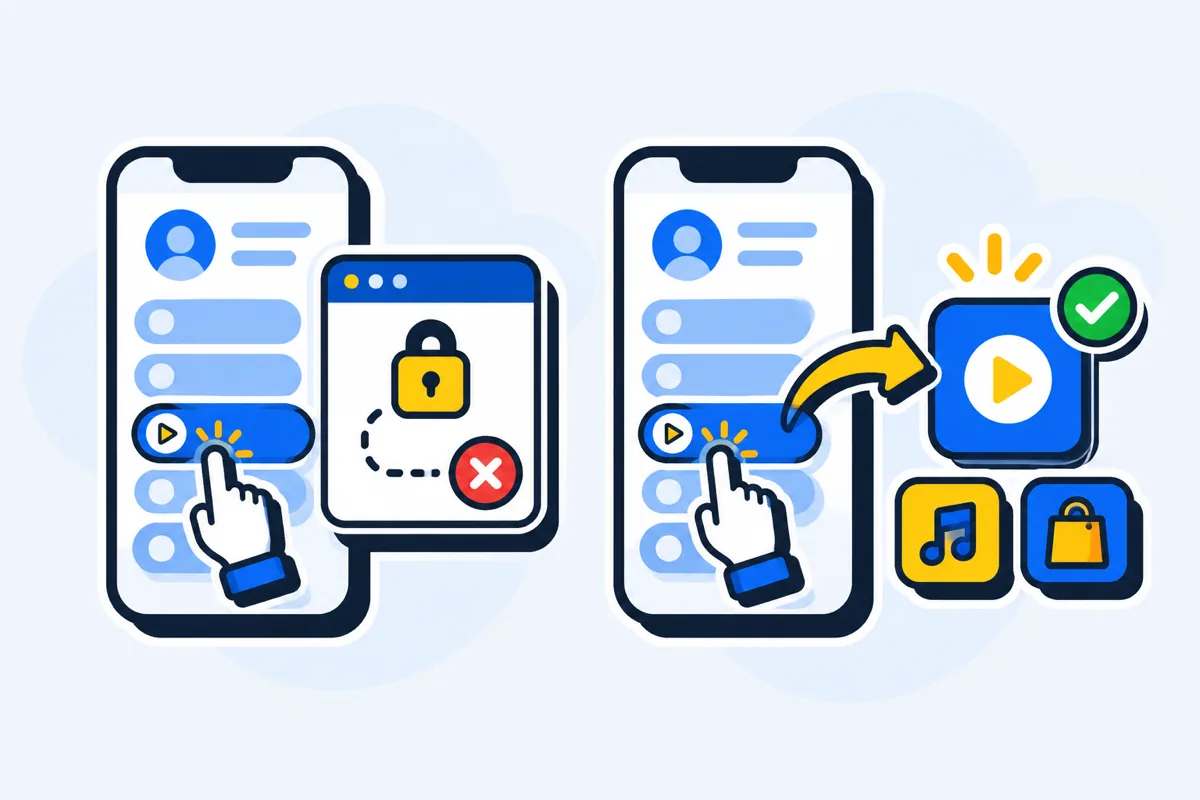
So the order follows five questions, the first one deciding:
- What does a button open? The YouTube, Spotify or Amazon app, or a web page inside Instagram's browser.
- Where do website links go? Out to Safari or Chrome, where saved logins and cards live, or nowhere beyond Instagram's browser.
- Is there a free plan with no end date, and what does it hold back?
- What does selling cost, if you sell from the page?
- Can the page live on your own domain, so you can change tools without breaking old captions and printed codes?
We judged the rivals on what their own pricing pages, plan lists and help articles say, not on tests on a phone, so "not listed" means a tool's page doesn't mention it, not that it can never happen.
One thing no tool on this list changes: TikTok keeps links inside its own browser, so the first two questions are about Instagram, Facebook and Threads, and why TikTok links stay inside TikTok covers what a LinkTwin link shows a viewer there.
1. LinkTwin: every button opens the app
A LinkTwin bio page opens the YouTube, Spotify or Amazon app from an Instagram bio, where your follower is already signed in, and it does the same for 100+ other apps from any block on the page. Links to ordinary websites, such as your shop or booking page, move out of Instagram's browser into Safari or Chrome. If an app isn't installed, the button opens its web page instead.
Amazon buttons can add your Associates tag for each store and send every shopper to the Amazon store of their own country, across 23 stores. The blocks cover the rest of a creator's page: videos (including one that shows your newest upload on its own), music players, tour dates, products, discount codes, email capture and bookings. A musician's page puts a button for each streaming service above the tour dates, a podcast page gives each listening app its own button, and a streamer's page leads with a live button that opens Twitch or Kick. Bio stats show views, taps on each button, countries, devices and referrers.
LinkTwin doesn't take payments, so there's no checkout and no seller fee: a product button sends buyers to the shop where you already sell. Start from one of the bio page templates and the layout is done for you.
Links to your own website or shop are included on every paid plan.
The rest of the ranking
2. Linktree
Linktree's free plan has unlimited basic links plus email and phone sign-ups. On its pricing page, Starter is $7 a month billed yearly ($9 monthly), Pro is $14 ($17 monthly) and Premium is $30 ($35 monthly). Pro is the plan that removes the Linktree branding and lets you sell with 0% Linktree fees.
On the tap, Linktree documents one case: for products in a Linktree Shop from supported retailers such as Amazon, it opens the brand's app. Shops is a US-only feature on Pro and Premium, and neither that article nor the pricing page says the same for ordinary buttons. It also doesn't support custom domains, so every page stays on linktr.ee, while a LinkTwin page can move to a custom domain of your own. Its Shop case covers product buttons, which is why it ranks second. LinkTwin as a Linktree alternative puts the two side by side, and Linktree pricing goes through each tier.
3. Taplink
Taplink's Basic plan is permanently free with unlimited links. Its Pro and Business plans are billed for a quarter, half a year or a year at a time, and its plan list puts payments, branding removal and a custom domain on Business. Its plan list includes messaging app and social media links from the free Basic plan up, and Taplink's guide to its social networks block says a tap on one of those links takes the visitor to the social network's app, logged in. Its pages don't describe the same for other buttons, such as a song or a product, which is why it sits behind Linktree. LinkTwin compared with Taplink goes further.
4. Beacons
Beacons is a creator store first, with a media kit, email sends and Instagram auto-DMs. Its pricing page lists a free-forever plan with a 9% seller fee. Creator costs $8.33 a month billed yearly ($10 monthly), still at 9%, and adds a free custom domain. Creator Plus, at $25 a month billed yearly ($30 monthly), drops the seller fee to 0%. Nothing on that page says its buttons open apps. LinkTwin compared with Beacons has the details.
5. Stan
Stan is a paid storefront with no free plan. Its pricing article lists a 14-day trial, then Creator at $29 a month or $300 a year and Creator Pro at $99 a month or $948 a year, with 0% Stan transaction fees (Stripe or PayPal processing still applies). Its help center says a custom domain needs the Creator Max plan. Its pricing article says nothing about buttons opening apps. LinkTwin compared with Stan covers the rest.
Move your bio to LinkTwin
- Claim your handle on the LinkTwin link-in-bio page. The address ends in
/@yourname. - Pick a template, then paste the same YouTube, Spotify and Amazon addresses your old page uses. LinkTwin recognizes each app, so there's nothing to build by hand.
- Swap the address in your Instagram, TikTok and YouTube profiles. Your old page keeps working until you change that link.
How to create a link in bio picks up the block-by-block setup from there, and moving from Linktree to LinkTwin covers that switch in detail.
Common questions
What does LinkTwin cost?
The free plan includes 10 links and 500 clicks a month, with no end date. Paid plans start at $14 a month, billed yearly. There's no seller fee on any plan, because there's no checkout to take one.