
 Link in Bio
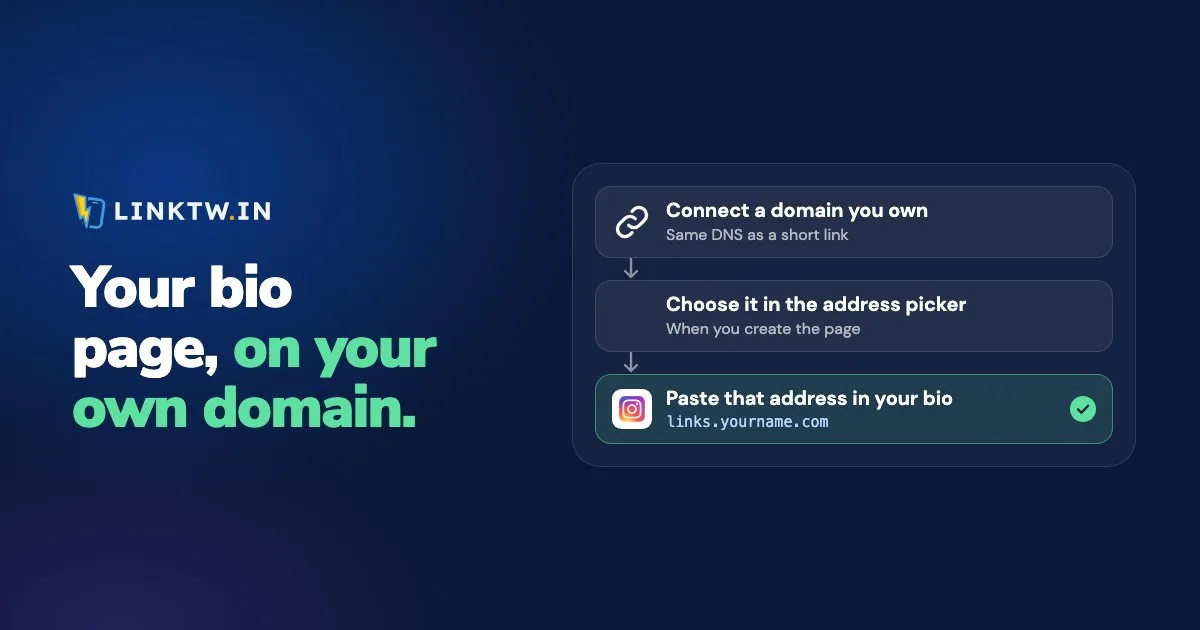
A custom domain link in bio puts your links page on an address you own, such as links.yourname.com/@yourname, instead of a shared one like linktwin.bio/@yourname. You connect the domain once, then choose it in your page's address picker.
A LinkTwin bio page can live on a domain you own, and its buttons still open YouTube, Spotify and Amazon in their apps from Instagram. Your followers see your name in the address, and nothing about the page itself changes. A bio page on a domain you own is included from the Medium plan.
If you came here looking for a Linktree custom domain, Linktree's help center says it doesn't support them (as of November 2026), so a Linktree page always stays on linktr.ee/yourusername. A domain of your own is one of the five questions the best link in bio tools are ranked on, because it lets you change tools without breaking old captions. Moving from Linktree to LinkTwin covers who should switch and what happens to the old address.
Put your bio page on your domain
- Connect a domain you own. Add it under Branded Domains and create one CNAME record at your registrar. Connecting a custom domain has the exact record, how long DNS takes, and what to do if the domain won't load. If your main domain already runs your website, use a subdomain such as
links.yourname.com. - Choose it for the page. When you claim a new page on LinkTwin, open the domain menu in the address picker and pick your domain under Custom domains. For a page you already have, open the editor's Settings, then Bio address, and change the domain there.
- Paste the full address into your profiles. Copy it as the picker shows it, handle included, and paste it wherever a profile asks for a website: Instagram, TikTok, YouTube, an email signature.
- Optionally, send the bare domain to the page. On the domain's settings, set Domain Root to your page's address, and anyone who types just
links.yourname.comlands on your page too.
What the domain changes, and what it doesn't
The address is the one part of your page people read before they tap. On your own domain it carries your name in every bio, email signature and media kit, and with Domain Root set, links.yourname.com is short enough to say out loud at the end of a video or a podcast episode. Everything behind the address stays as it was:
| Shared address | Your domain | |
|---|---|---|
| What people see | linktwin.bio/@yourname |
links.yourname.com/@yourname |
| Where you set it | When you claim your handle | The address picker, or Settings, then Bio address |
| The page itself | Your blocks, look and stats | The same blocks, look and stats |
| Short links | On linktw.in | Can use the same domain |
One connected domain can carry both your page and your branded short links, so the link in your bio and the links in your posts and emails all show the same name.
Taps work the same on your domain
The address is the only thing that changes. Buttons for YouTube, Amazon, Spotify and the other supported apps still open the app from Instagram, and a phone without the app falls back to the web page. Buttons to ordinary websites still leave Instagram's browser for Safari or Chrome. A custom domain doesn't change how TikTok treats links either, and why TikTok links stay in TikTok shows what your visitors see there.
Common questions
Can the page go on the domain that runs my website?
Not on the exact name your website uses: pointing that name at LinkTwin would replace your website there. Connect a subdomain of it instead, such as links.yourname.com or go.yourname.com, and your website stays where it is.