
 Link in Bio
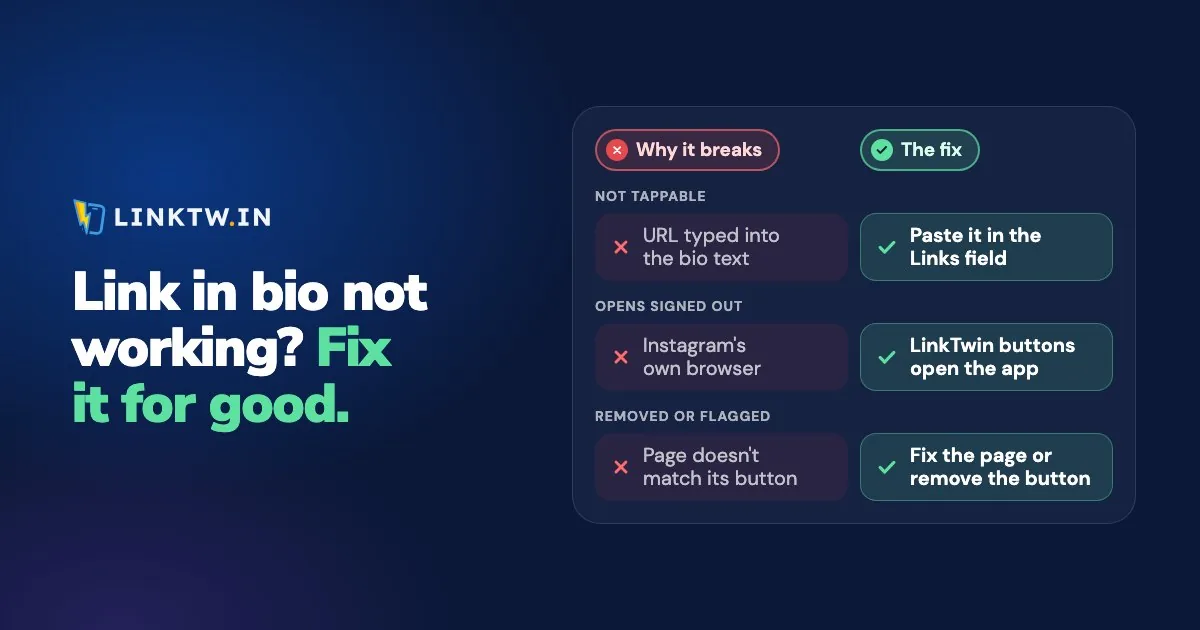
A link in bio stops working for one of three reasons: it isn't in the profile's link field (or the account can't have one yet), it opens inside the app's own browser where your follower is signed out, or the platform removed or flagged it. Find what your follower sees in the table below, and each row points to its fix.
Say you post a Reel about your new video, write "link in bio", and an hour later a DM says "your link doesn't work." Your follower did tap it. YouTube's website loaded inside Instagram, and Subscribe asked for a password they didn't have handy. Nothing was broken: the link opened where Instagram opens every link, and that's the case a LinkTwin bio page fixes.
| What your follower sees | What's going on | Fix |
|---|---|---|
| Your address in the bio but nothing to tap, or no link at all | It isn't in the Links field, or the account can't add a link yet | Use the link field |
| A "page not found" error | The page moved, or the address has a typo | Fix the address |
| YouTube, Amazon or Spotify as a website, asking them to sign in | The app opened your link in its in-app browser | Buttons that open the app |
| A TikTok message suggesting they open the page in their browser | TikTok's safety check on chains of links | What TikTok allows |
| The link is gone from your profile, or a warning shows first | The platform removed or flagged it | Check the destination |
The link doesn't show or can't be tapped
Instagram and TikTok both keep links in their own Links field under Edit profile, apart from the bio text. An address sitting in the bio text belongs in that field instead.
- Instagram. You can add up to five links, from the phone app only: Edit profile, Links, then Add external link, according to Instagram's help page. There's no way to add them from a computer. Adding multiple links to your Instagram bio fills all five, with your page in the first slot.
- TikTok. The Links field under Edit profile only appears once you have 1,000 followers or a Verified Business Account, as of November 2026 (TikTok's help page). Below that there's no Add button, and no setting brings one. Getting a link into your TikTok bio covers business verification and what to paste the day the field appears.
- A link to another social app on TikTok. The same TikTok page says it no longer supports links that open or sign you into other social media apps. Point at that platform's website address instead.
- A "page not found" error. The link works and the page behind it doesn't: a typo, a deleted video, a product page that was taken down. On a LinkTwin page you fix that one button, and the address in your profile never changes.
It opens, but inside the app and signed out
Instagram opens links in its in-app browser by default (its help page on in-app browsing lists posts, ads, Stories and messages), and TikTok's help page says the same of profile links. That browser doesn't share logins or saved cards with Safari or Chrome, so YouTube asks for a sign-in and your checkout has no saved card. Followers rarely leave that browser on their own, so the visit usually ends right there.
You can't change where Instagram opens links, but you can change the page behind your link in bio. A LinkTwin bio page's YouTube, Amazon and Spotify buttons open the app when the page is opened in Instagram, Threads or Facebook, so your follower lands where they're already signed in. Buttons for 100+ other apps do the same. What each button does, by where the page is opened has its own page, covering every app and buttons to your own site.
TikTok's help page adds that it limits how people browse chains of external links in its in-app browser, so a visitor who taps a button on any bio page may get a message suggesting they open the page in their phone's browser. That's a safety check, not a broken link, and a LinkTwin page shows TikTok visitors who tap a button a full-screen guide to TikTok's own way out (why TikTok keeps links in its browser). The same page recommends direct links, so when one destination is the whole point this month, put a single LinkTwin link to it in the field instead of the page.
The link was removed, blocked or flagged
Platforms do take links down. Instagram's help page on why a link may have been removed says teens under 18 can't link to certain websites in their bios, ones that may share sensitive content or don't follow its age-appropriate guidelines, and that a link like that already in a teen's bio may have been taken out.
Beyond that, the platforms judge the page a link leads to. Meta's spam rules list deceptive links, among them a link that promises one kind of content and delivers something substantially different, and a page that pretends to be a reputable brand or service. On TikTok, anyone can report a suspicious link on a profile from the ··· menu of the page it opens.
So open the page your link leads to and read it the way a stranger would. Does the button say what the page is? Does the page look like your brand and nobody else's? Fix the page or remove the button. Don't hide a flagged address behind another link: showing a platform one thing and visitors another is what Meta's rules call cloaking.
Fix it once with a LinkTwin page
- Claim your handle on linktwin.bio and start from a template.
- Add a button for each thing you share, and paste the same YouTube, Amazon and Spotify addresses you use today. Nothing has to be rewritten.
- Put the page address in the first of Instagram's Links slots, and in TikTok's Links field once the account qualifies. Your old link keeps working until you swap it, so there's no gap.
- Tap-test from a phone that has the apps installed and signed in. Open your profile in Instagram, tap the link, then each button. The app should come forward. A website under Instagram's bar asking for a login means that button is still a plain address.
- A few days later, open the page's stats: page views, clicks on each button and the app each visit came from. A button nobody taps is the first one to test again.
The free plan includes 10 links and 500 clicks a month.
Common questions
It works when I test it. Why not for my followers?
Your own phone can hide the problem. If you've signed in to YouTube or your shop inside Instagram's browser before, that session may still be there, and every button looks fine to you. Test from a phone that has never opened your links inside Instagram, or ask a friend to tap through and tell you where they land. A follower's phone can also differ from yours: it may not have the app, or it may have saved a choice to open that site in the browser, two of the reasons a deep link opens the website on one phone and the app on another.