
 Link-in-Bio Comparisons
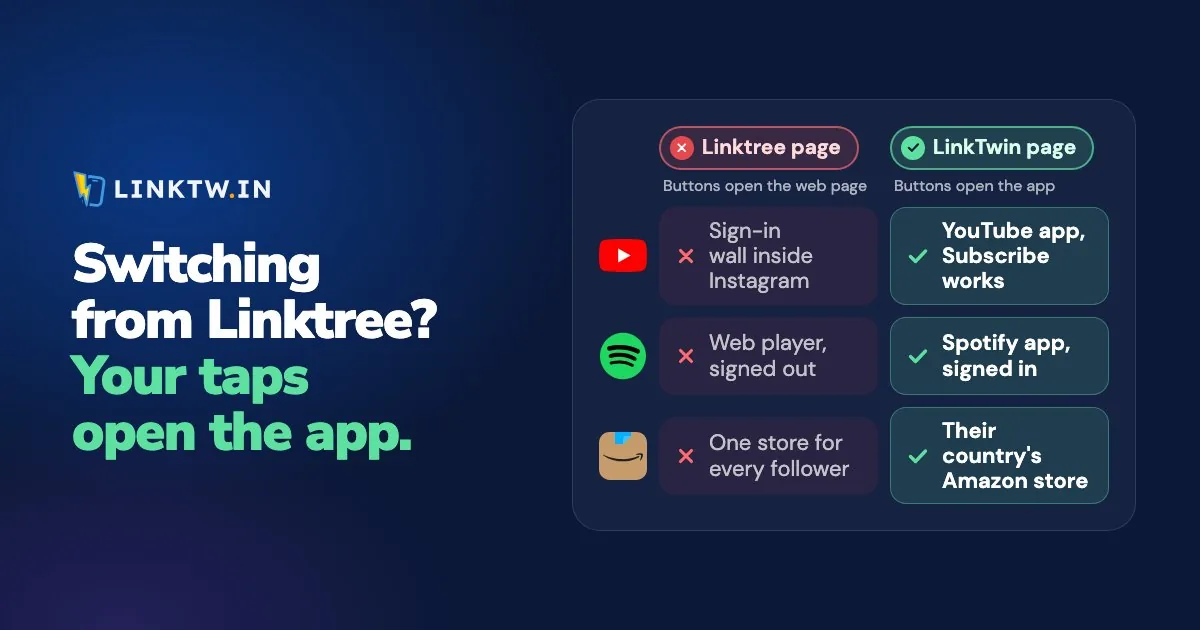
Do Linktree links open in the app? An ordinary Linktree button doesn't: Instagram opens your linktr.ee page in its own browser, and a tap on a YouTube, Spotify or Amazon button loads that website right there, where your follower usually isn't signed in. The one exception Linktree documents is Linktree Shops, a Pro and Premium feature for US creators, whose products open the app of supported retailers such as Amazon.
A LinkTwin bio page is built around that tap. Each button looks at the phone and at the app the tap came from, so YouTube, Spotify, Amazon and 100+ other apps open in the installed app from Instagram and Threads, where your follower is already signed in and can subscribe, save or buy. Website buttons leave Instagram's browser for Safari or Chrome, and if the app isn't installed, the button opens the web page. Followers don't install or change anything.
The signed-out YouTube page your followers see today isn't a broken Linktree theme. It's Instagram's browser, and why a link in bio opens in the browser shows that tap in detail. Plans and features side by side are on the LinkTwin vs Linktree comparison; below is the tap itself, and how to move your page without losing a visitor.
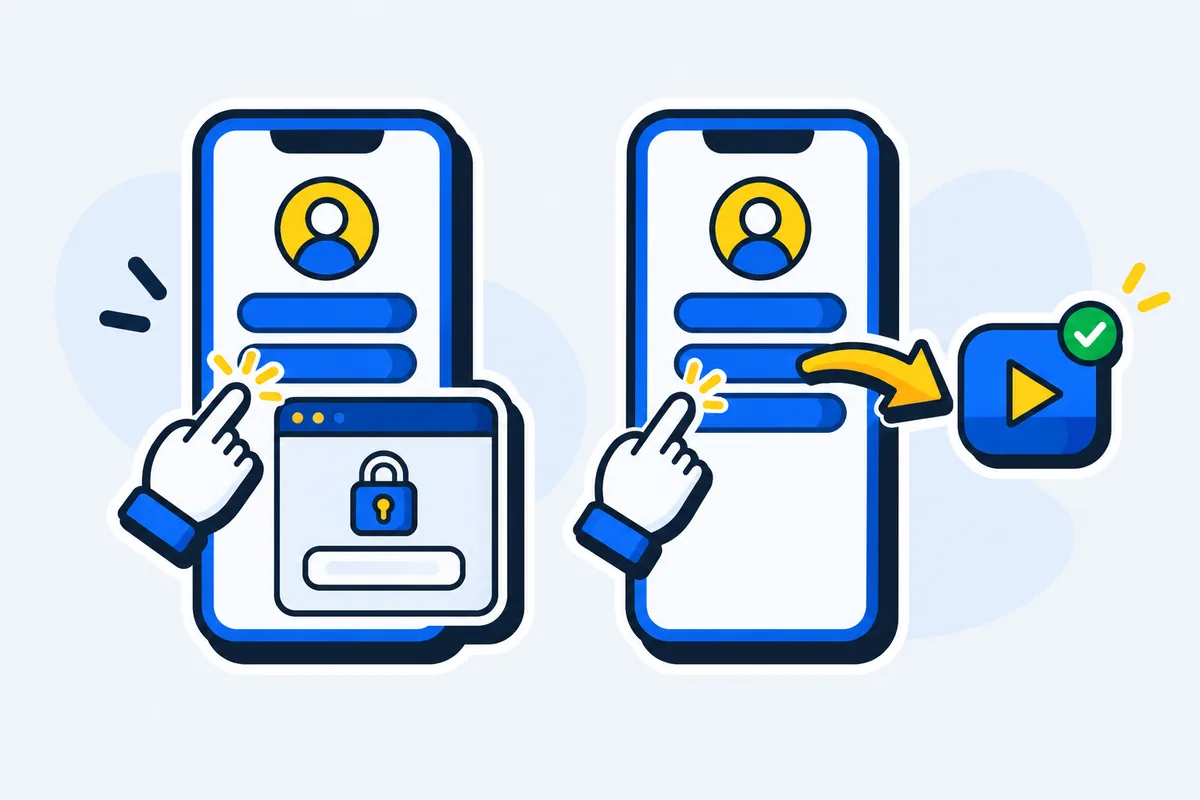
Linktree and LinkTwin after the tap
| The tap, from Instagram | Linktree button | LinkTwin button |
|---|---|---|
| YouTube or Spotify | The website, inside Instagram's browser | The app, already signed in |
| Amazon | The website, unless the product is in Linktree Shops (Pro and Premium, US only) | The Amazon app, with your Associates tag, in the shopper's own country store |
| Your own site or shop | Stays in Instagram's browser | Safari or Chrome, with saved sign-ins and cards |
Amazon creators get one more thing. Save your Associates tag for each store you've joined, keep Amazon geolocation on, and a shopper in Germany who taps your amazon.com pick lands on amazon.de with your tag, in the Amazon app. That covers 23 Amazon stores.
On TikTok, no bio page leaves TikTok's browser on its own, ours included: a LinkTwin button shows a full-screen guide to TikTok's own menu instead (why TikTok links stay in TikTok).
How to move your page from Linktree
Your Linktree keeps working while you build, so the profile link stays put until the new page passes a phone test.
- Claim your handle. Pick it on the LinkTwin link-in-bio page. The address ends in
/@yourname. Start from a template or a blank page. - Paste your links. There's no Linktree importer, so copy each address across into a Link, YouTube Video, Amazon Link or Product block, most-tapped first. Label buttons with the action ("Watch the new video"), not the app's name.
- Test from inside Instagram. Have a friend send you the new address in a DM, then tap every button on a phone that has the apps. YouTube, Spotify and Amazon should open in their apps.
- Swap the profile links. Instagram, Threads, your YouTube channel links, and anywhere else the old address sits.
- Read the page after a week. Views, taps on each button, referrers and countries show what to move up and what to drop.
YouTube, Amazon, Spotify and other well-known apps and sites work on LinkTwin's free plan.
Links to your own website or shop are included on every paid plan.
What to bring with you from linktr.ee/yourname
- Your email list. If your Linktree collects sign-ups, download them before you leave. Linktree lists the subscriber CSV download among its Pro and Premium features. If the form already feeds Mailchimp, Kit, Klaviyo or beehiiv, the list is safe there.
- The numbers you care about. Linktree's history stays in Linktree, and how far back it goes depends on your plan (Linktree pricing, plan by plan has the limits), so note the figures you still want. LinkTwin starts counting from the first tap on your new page.
- The old address.
linktr.ee/yournamelives on in old posts, video descriptions and printed QR codes. Leave a single button on it that points to your new page, so anyone who finds the old link still reaches you.
The Email capture block is available on every plan.
Sending Email capture sign-ups on to Mailchimp, Kit, Sendy, Klaviyo, beehiiv, Google Sheets or a webhook is available on every paid plan.
You can start free: the free plan includes 10 links and 500 clicks a month.