
 Link in Bio
To create a link in bio, build a one-page site with a button for each thing you share, then paste its address into the link field of every profile. On LinkTwin that takes five steps:
- Claim
linktwin.bio/@yournameand create your account. - Pick a starting template, or a blank page, and add your name, a one-line bio and your social icons.
- Add a block for whatever your latest post is about, then the rest.
- Copy the page address into Instagram, TikTok, YouTube and any other profile with a link field.
- Open your profile on your phone and tap every button before a caption says "link in bio".
You can build it on LinkTwin in one sitting. A LinkTwin bio page opens YouTube, Spotify and Amazon in their apps when a follower taps a button from Instagram, so they land signed in, ready to subscribe, save or buy. Not sure you need a page at all? Start with what a link in bio is and when it helps.
Claim your handle and pick a template
Open the LinkTwin link-in-bio page, type the handle you want, choose Claim my page and create your account. Use the name people already know from Instagram or TikTok. If it's taken, add a word for what you do, such as @marinachef, rather than a string of numbers.
Putting the page on a domain you own is available from the Medium plan.
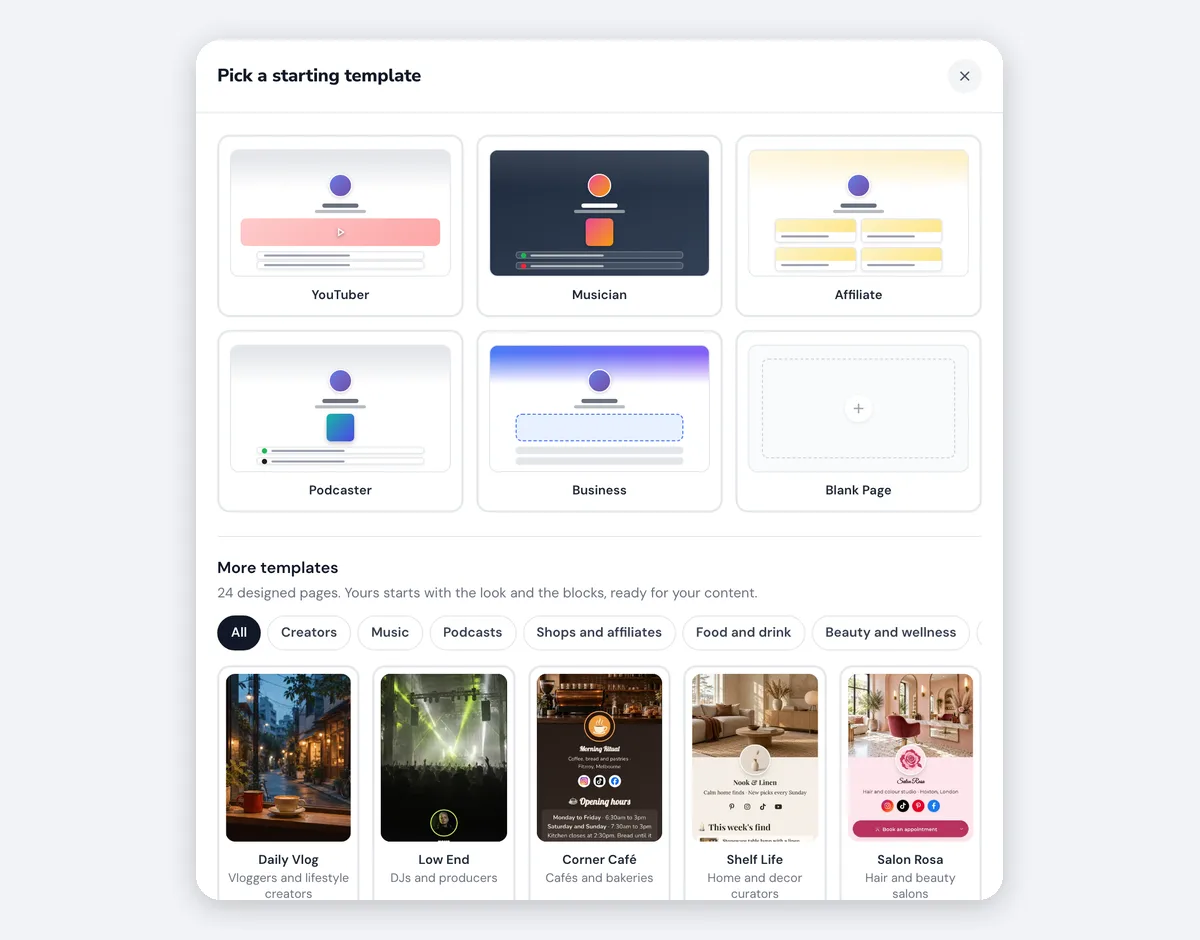
Next, choose where to start: a starter for your line of work, a blank page, or one of the designed templates sorted by category. Pick it for the blocks it comes with, not for its colors, which you can change later. You can open any of them as a live page in the template gallery before you sign up.
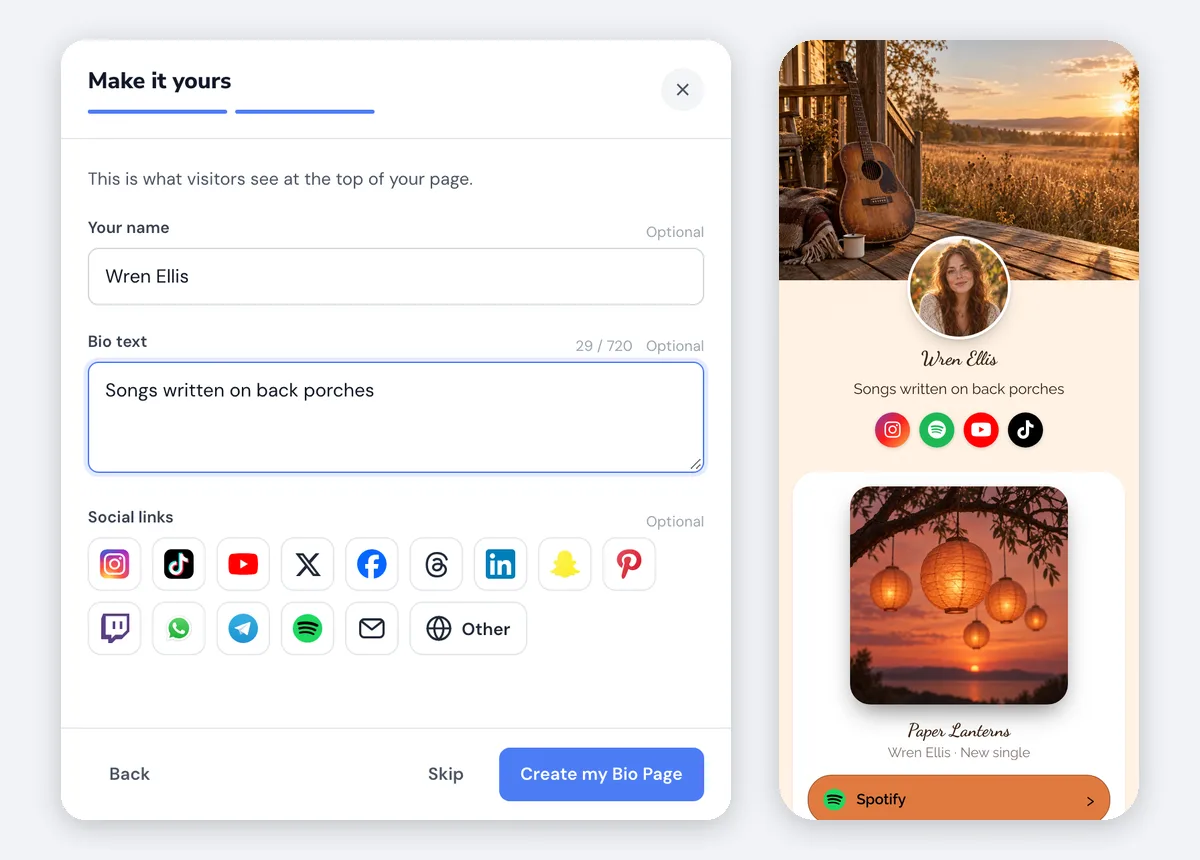
The setup then asks for the top of the page: your name, a bio line and your social profiles, which show as small icons. One line fits a phone, and "Tasting menus on Fridays" tells a visitor more than "Chef". When you finish, the page is live. There's no separate publish step, because the editor saves each change as you make it, with a live preview and undo.
Colors, fonts and photos
Open Design once the page is live. Start from a palette, change any color in it, pick fonts for headings and text, and set how round the corners are. Add your photo and a cover photo, then look at the page on your phone: light lettering on a busy cover photo is a common reason a name is hard to read.
A short looping video in the header is available on every paid plan.
Add blocks, newest thing first
A block is one piece of the page: a button, a video with its thumbnail, a product with its photo, a signup form. Choose Add a block, pick one, and drag the blocks into order. Whatever your latest post mentions goes on top, because the visitor tapped a caption that promised one video, one song or one product.
| If you're sharing | Add this block | What a tap does |
|---|---|---|
| Your newest YouTube upload | Latest Video | Opens it in the YouTube app, and updates itself when you post |
| A video or playlist you choose | YouTube Video or Playlist | Opens the YouTube app |
| A product on Amazon | Amazon Link | Opens the Amazon app, in the store for the shopper's country |
| A song, a shop or any other page | Link | Opens a supported app in the app, a website in the phone's browser |
| Something you sell yourself | Product or Course | Sends people to wherever you sell it |
| A newsletter | Email capture | Signs the visitor up on the page |
| Appointments | Calendly | Books a time without leaving the page |
A Link block covers Spotify and 100+ other apps, which open in the app, while an ordinary website opens in the phone's browser. For Amazon, save your Associates tag for each store once and LinkTwin adds it to your Amazon links. Since October 2026 a page can also hold a photo Gallery, Reviews with star ratings, a Discount code visitors copy, and an FAQ.
Name each button for the action, such as "Watch the new video" or "Book a table", not for the site it opens. A short heading between groups is enough to separate them. What to put in your link in bio has button wording and a page plan for each line of work.
Buttons for YouTube, Amazon, Spotify and other well-known apps and sites work as soon as you sign up. Links to your own website or shop are included on every paid plan. Email capture is available on every plan. Calendly booking is available on every plan.
Paste the address into your profiles
Choose Copy link at the top of the editor and paste the address rather than typing it. Wherever a profile takes more than one link, put the page first. As of November 2026, Instagram and Threads allow five profile links. YouTube allows up to 14 under Customization, then Profile, in YouTube Studio, and only the first one shows near Subscribe. TikTok gives you one website field once the account qualifies, and adding a link to your TikTok bio covers who qualifies and where to paste it.
Tap-test the page, then read the stats
Test the page the way a follower meets it: open Instagram on your phone, go to your profile, tap the link, then tap every button once. An app button should open the app, and a website button should open Safari or Chrome, outside Instagram's browser. Delete anything the template left behind that you don't actually share.
TikTok is the exception: no page leaves TikTok's browser on its own, and why TikTok links stay in TikTok shows what your visitors see there. What each button does from each app has the full picture for Instagram, Threads and Facebook.
Once the page is shared, open its stats: page views, clicks on each button, click-through rate, and the countries, devices, browsers and referrers behind them. Move up what people tap and drop what nobody touches. LinkTwin counts views and clicks, not sales or subscribers.
Common questions
Can I make a link in bio for free?
Yes. LinkTwin has a free plan, and you can build and share a page on it. The free plan includes 10 links and 500 clicks a month. What each paid plan adds is on the pricing page.