
 Link in Bio
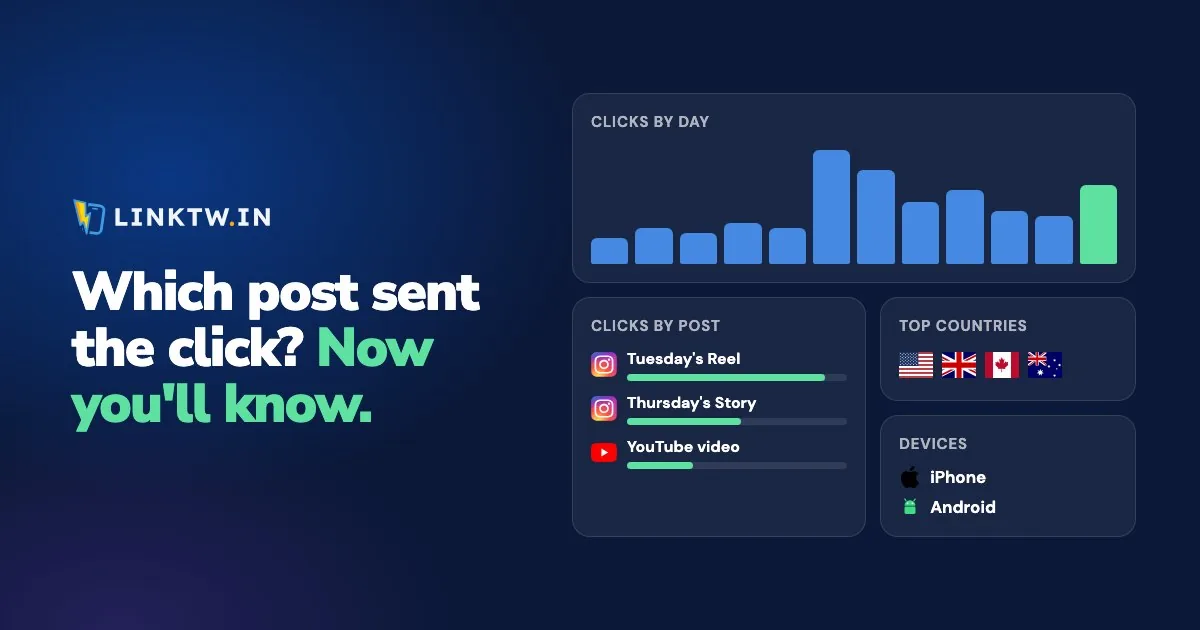
Link in bio analytics are the numbers behind the one link on your profile: how many people opened your page, which buttons they tapped, and which app they came from. A single bio link can't tell you which post sent a tap, because every post points at the same address. Give each placement its own LinkTwin link instead: your page in the bio, and a separate short link on each Story and in each video description.
Say a Reel about your camera bag takes off on Tuesday, and your Amazon button has its best week ever. Was it the Reel, Thursday's Story, or the video you put on YouTube? If all three point at your bio page, the page's report can say most visits came from Instagram, but not which post. Give the Story its own link and the Reel its own button, and the report answers the question for you.
What Instagram and TikTok show you
Both apps count part of the journey inside their own analytics. As of November 2026, their help pages list these:
| Where | What it counts | What it leaves out |
|---|---|---|
| Instagram post or Story | Profile activity: what people did on your profile after engaging with it. The Story insights page names website clicks among those actions, and Stories also count Link sticker taps. | Which of your links or buttons got the tap, and what opened next |
| Instagram Reel | Views, watch time, viewers, average watch time and follows (Reels insights) | Your profile and your link: the page lists neither |
| TikTok, in TikTok Studio | Post views, profile views, likes, comments, shares, and the traffic sources of each video (TikTok's guide to its analytics) | Taps on your bio link: the guide doesn't list them |
Instagram's numbers need a public account, and account insights reach back 90 days (Instagram's steps). They also stop at your profile. Visitors from TikTok, YouTube or your newsletter never appear there, and which button on your page got the tap is something only the page itself can count.
What your LinkTwin page shows
A LinkTwin bio page counts every visit and every button tap on the page itself, so its report starts where Instagram's and TikTok's stop. Open the page's statistics in your dashboard and pick a date range:
- Views and clicks. Page views and unique views, clicks and unique clicks on your buttons, and click-through rate (unique clicks divided by unique visitors). A chart puts views and clicks side by side, day by day.
- Each button. Clicks on every link on the page, its own click-through rate (clicks divided by page views), and a way into that button's full report.
- Where visits came from. Top referrers: the app or site behind each visit and each click, such as Instagram, TikTok or Threads.
- Who, roughly. Countries and cities on a map, plus devices, browsers and languages, each shown for visits and for clicks.
- Social icons and recent clicks. Taps on your social icons by platform, and a list of the latest clicks with the time, place, device, browser and source of each.
To show a sponsor, turn on Share stats and send them the public link, so they see the numbers without an account, the same way you'd share the report on a sponsor's tracking link. You never see a name, and LinkTwin counts clicks, not sales, so a purchase or a subscribe inside the app stays out of the report.
The free plan keeps 14 days of click history.
Referrers name the app, not the post. A visit from Tuesday's Reel and one from Thursday's Story both read Instagram.
Which post sent the click: one link per placement
Stop sending every post to the same address. Every place a link can live gets its own LinkTwin link, and with it, its own click report.
| Placement | What goes there | Where you read it |
|---|---|---|
| Your Instagram and TikTok profile link | Your LinkTwin page | The page's stats, by button and by app |
| Each Instagram Story | A new short link in the Link sticker | That link's report |
| Each YouTube video description | A short link for that video | That link's report |
| Instagram's other four profile slots | A short link for this week's launch | That link's report |
| A Reel or TikTok that says "link in bio" | A button at the top of your page, named for that post | That button's clicks on the page |
| Your newsletter, a QR code, a DM | A short link for each | That link's report |
Reels and TikTok videos are the tricky ones, because the post itself can only point people to your bio. So give the post its own button, such as "The camera bag from today's Reel", at the top of the page, and say "first button in my bio" in the caption. That button's clicks are that post's clicks. The day-by-day chart helps too: a jump in views on the day a video went out points at that video.
A short link isn't a detour for your followers: from Instagram, a LinkTwin link opens YouTube, Amazon or Spotify in the app, just like the buttons on your page. Each tap lands in that link's click report with its time, country, device, browser and source, and what one tracked click records goes through each of those fields.
Set it up
- Put your page in your profiles. Claim your handle if you haven't, then paste the page address into Instagram's first Links slot and TikTok's Links field.
- Give each Story its own link. Paste the destination into the Create App Link box in your dashboard, copy the short link, and paste it into the Link sticker. Make a new one for the next Story you want to count on its own. Adding a link to an Instagram Story covers the sticker itself.
- Name links like posts. A report that reads like a list of your posts is easier to scan than one full of random endings. A readable ending such as linktw.in/bag-story is available from the Medium plan.
- Give each Reel or TikTok a button. Add it at the top of your page the day the post goes out, and move it down when the next one does.
- Read it a week later. Open the page's stats, then each short link's report. A button nobody taps is the first to tap-test from Instagram, the same check fixing a link in bio that isn't working relies on. Adding a
+to the end of a short link (linktw.in/bag-story+) opens its stats page.
The free plan includes 10 links and 500 clicks a month.
Common questions
Why doesn't Instagram's number match my page's?
They count different things. Instagram counts actions on your profile after someone engaged with a post, while your page counts visits once it loads and taps on its buttons, and it leaves out known bots. The reasons two click counts never line up apply here too.
Can I add Google Analytics or a pixel to my bio page?
Yes. Add the pixel to your LinkTwin account (the steps are the same as for adding a pixel to a link), then choose it under Tracking pixels in the page's settings. Google Analytics, Google Tag Manager, Facebook (Meta) and TikTok are among the types it accepts. Tracking pixels are available on every plan.