
 Link in Bio
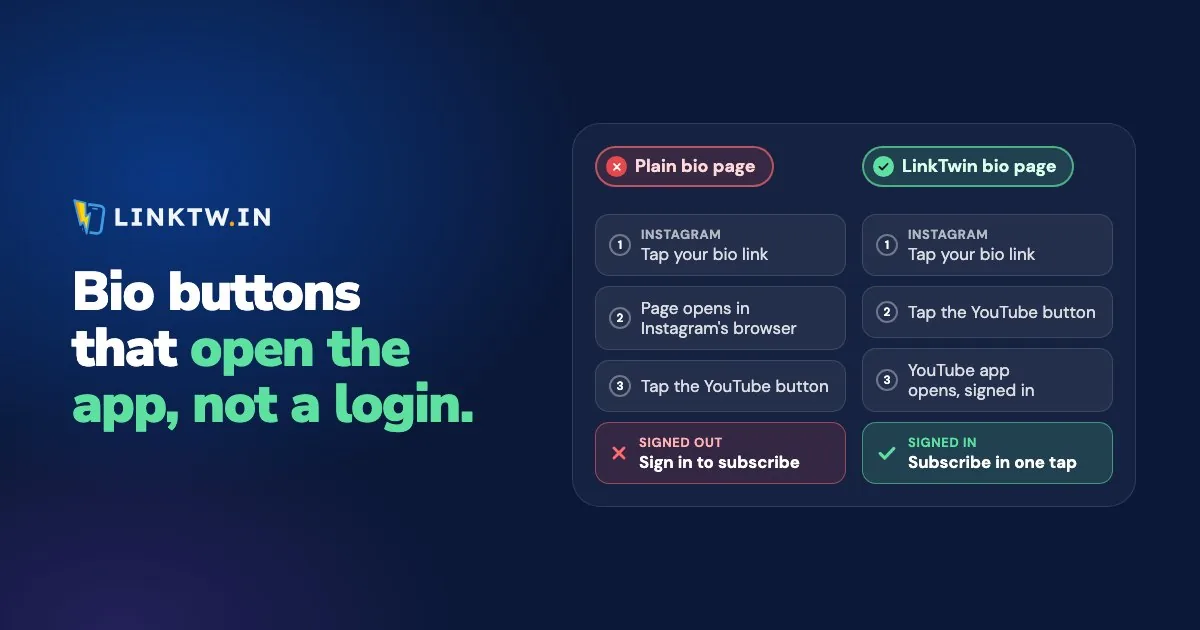
A link in bio opens inside Instagram's own browser, not in the YouTube, Spotify or Amazon app, and every plain button on your page stays in that browser too. A LinkTwin bio page makes each YouTube, Spotify or Amazon button open its app instead, where your follower is already signed in.
Say your new single is out and the caption says "link in bio". A follower taps your profile link, then the Spotify button. On a plain page, Spotify's website loads under Instagram's bar and asks them to log in before they can save the song. On a LinkTwin page, the same tap opens the Spotify app on that track, in the library they use every day.
Nothing you change on your Instagram profile changes where your page opens. Instagram's help page presents its in-app browser as the way people view websites without leaving the app. What you control is the buttons on the page behind your link in bio. A plain button is only a web address, so it loads wherever it was tapped. A LinkTwin button looks at the phone and the app the tap came from, then hands the tap to the right app.
What each button does, by where the page is opened
LinkTwin opens YouTube, Spotify, Amazon and 100+ other apps. A button to an ordinary website goes to the phone's real browser instead, where your follower's saved logins and cards are.
| Where your page is opened | App buttons (YouTube, Spotify, Amazon...) | Website buttons (your shop, your blog) |
|---|---|---|
| Instagram and Threads | Open the app | Open in Safari or Chrome |
| Open the app | Open in Safari or Chrome | |
| TikTok | A full-screen guide to TikTok's ··· menu and "Open in browser" (two taps), then the app | The same two taps, then Safari or Chrome |
| Email, texts, QR codes, the phone's browser | Open the app | Open normally |
If the app isn't on the phone, the button opens the web page instead. Of these four, TikTok is the one place no page can leave by itself, which is why your visitors get that guide there (what the two taps in TikTok look like).
YouTube, Spotify and Amazon buttons
Paste the video, track or product address you already use. Nothing has to be rewritten, and your follower doesn't install or switch on anything.
YouTube buttons and video blocks
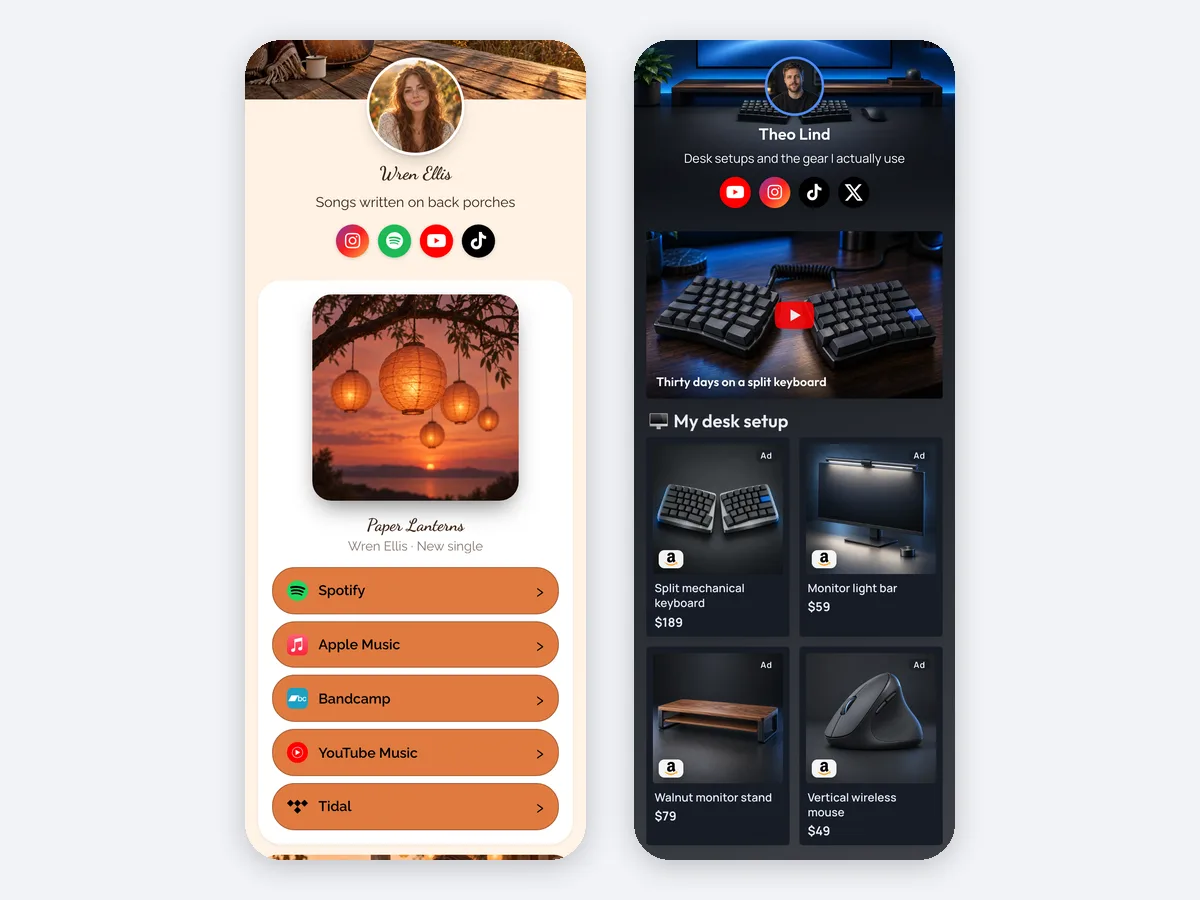
A YouTube button opens the YouTube app on that video, so Subscribe and Like work without asking for a login. The YouTube Video, Latest Video and Playlist blocks open the app too, with the thumbnail on the page. Latest Video shows your newest upload by itself, so you're not swapping the button every time you post.
Spotify and other music buttons
A Spotify button opens the Spotify app on the track, album or playlist, so the save lands in the account your follower actually listens with. Apple Music, YouTube Music, SoundCloud and the other music apps LinkTwin supports work the same way.
A Music Link block that lists one release on every streaming service is available on every plan.
Amazon buttons
The Amazon Link block shows the product with its photo, and a tap opens the Amazon app, where your follower's cart and saved address already are. Save your Associates tag for each Amazon store once. LinkTwin adds it to your Amazon links and sends each shopper to the Amazon store for their country, across 23 stores.
Your shop or any other website
A button to your own shop, booking page or blog leaves Instagram's browser and opens in Safari or Chrome, where a saved login and a saved card can actually be used. If you'd rather the whole page left Instagram's browser as soon as it opens, turn on Open in external browser in the page's Settings.
Links to your own website or shop are included on every paid plan.
Switch your bio link to a LinkTwin page
- Claim your handle on the LinkTwin link-in-bio page. Creating a link in bio step by step covers templates, design and every block.
- Add a block for each thing you share, and paste the same YouTube, Spotify and Amazon addresses you use today.
- Replace the link on your Instagram, Threads and Facebook profiles. Your old page keeps working until you do, so there's no gap.
- Test it on a phone that has the apps, signed in. Open Instagram, tap your profile link, then each button. The app should come forward. If a website loads under Instagram's bar and asks for a login, that button is still a plain web address.
- A few days later, open the page's stats: page views, clicks on each button, click-through rate, and the countries, devices, browsers and referrers behind them.
The free plan includes 10 links and 500 clicks a month.
Common questions
Do my followers have to change a setting?
No. They tap your bio link the way they always have, and the button does the rest. The only thing they need is the app itself, installed on the phone, to land in it.
Will Instagram's five profile links open the app?
Not if they're plain web addresses, and adding several links to your Instagram bio shows how to fill them with your page and LinkTwin short links that do.
Can I see who subscribed or bought from a button?
No. You see clicks on each button, by day, country, device, browser and source, but never a name. LinkTwin counts clicks, so the subscribe or the sale that happens inside the app stays out of its view.