
 Link in Bio
To collect emails from your link in bio, put a one-field signup form on the link in bio page itself, and promise something specific: what people get and on which day. Every address you collect is yours to email, whatever happens to the post or the algorithm.
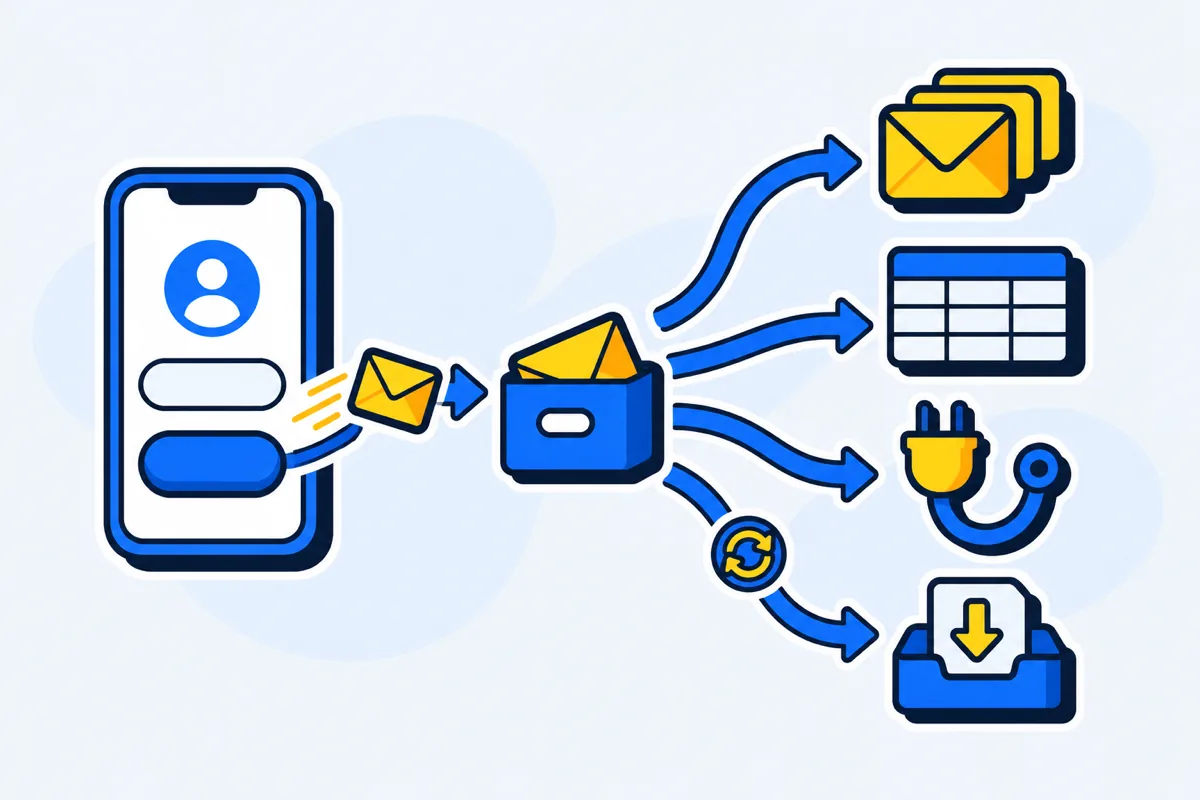
On a LinkTwin bio page, that form is the Email capture block. LinkTwin's Email capture block saves every signup to your account first, then sends it on to the newsletter tool you pick, so a hiccup at that tool doesn't lose an address. A florist could set it right under her shop button: heading "Sunday stem notes", one field, and a button that says "Send me Sunday". From there the addresses can go to a CSV, Mailchimp, Kit, Klaviyo, beehiiv, a Google Sheet or a webhook.
The Email capture block is available on every plan.
Add the signup to your page
- Claim your handle on LinkTwin, or start from a template that already has a signup on it, such as Home Cook or Maker Market.
- Add the Email capture block from the Contact group. Write the heading, the description, the button label and the success message.
- On the block's Settings tab, turn on "Ask for consent" if you want the tick box. Under "Send subscribers to", pick your newsletter tool, or leave it on "LinkTwin only" until you've chosen one. Press Test connection.
- Add the page address under Links when you edit your Instagram profile, and to your other profiles.
- Sign up once from inside the Instagram app with a spare address, and check that it lands in Subscribers and, if you connected one, in your newsletter tool.
The form needs no login, so it works inside Instagram's own browser, where a profile tap opens your page. If your newsletter tool sends a confirmation email, say so in the success message ("Check your inbox to confirm"), because confirming means leaving Instagram for the mail app, and people who don't know to do that think the form failed.
Write a signup people finish
Someone on a phone will type one thing if the reason is specific, and nothing at all for "Join my newsletter".
- Ask for the email only. Name and phone are optional fields on the block. Each extra field is another trip through a phone keyboard, so leave them off unless you'll use them.
- Name the email and the day. "One email Sunday night with this week's stems" says what shows up. A repeating promise also beats a one-time PDF, because someone who came for a file has no reason to open the next email.
- Label the button with the result. "Send me Sunday" tells them what happens next, and a success message like "Saved. The first note goes out Sunday night." tells them the tap worked.
- Put it under the main link. Six buttons down, they've had six chances to leave. You can also set the block's Placement to Top right, which pins it as a button in the corner of the page. What to put in your link in bio covers the order of everything else.
Where the email addresses go
Each address is written to Subscribers, under the editor's Settings, before anything else happens, and Export CSV sits on that same list. Sending it on to another tool is a second step that never replaces the saved copy. If that tool has a bad moment, LinkTwin tries again later, and an address that can't be delivered (a wrong key, a deleted list) is flagged in Subscribers with the reason.
| Send subscribers to | What happens to a new address |
|---|---|
| LinkTwin only | It stays in Subscribers. Export a CSV whenever you want. |
| Mailchimp, Sendy, Brevo | LinkTwin adds it straight to the list you pick, with no confirmation step. |
| Kit, beehiiv, MailerLite, Flodesk, ActiveCampaign, Kajabi | It joins the form, publication, group, segment or list you pick, and your tool's own settings decide which email goes out next. |
| Klaviyo | Visitors who ticked your consent box are subscribed to email marketing. Everyone else joins the list without marketing consent. |
| Google Sheets, Airtable | A new row in your own sheet or table. |
| Webhook (Zapier, Make, n8n) | Your workflow receives the signup and decides the next step. |
Sending sign-ups on to Mailchimp, Kit or Sendy is included on every plan. Klaviyo, beehiiv, MailerLite, Brevo, Flodesk, ActiveCampaign, Kajabi, Airtable, Google Sheets and webhooks are included on every plan.
The consent tick and the confirmation email
In the EU, consent has to be something the visitor does: Recital 32 of the GDPR says pre-ticked boxes and silence don't count. With "Ask for consent" on, a tick box appears once a valid address is typed. It starts empty, a signup without the tick is refused, and each subscriber keeps a record of when they agreed and the exact words they saw, so put your name in those words ("Yes, email me Sunday stem notes from Harbor Florist. I can unsubscribe at any time.").
A confirmation email is a different check, and it comes from your newsletter tool, not from the page. Mailchimp's double opt-in can only be turned on for Mailchimp's own signup forms, and LinkTwin adds addresses from your bio page to your Mailchimp audience as subscribed.
Lock the page behind an email
You can also ask for the address before the page opens. In the editor's Settings, open "Lock page" and choose "Email address". Each address joins Subscribers and can be sent on through the Email capture block you choose.
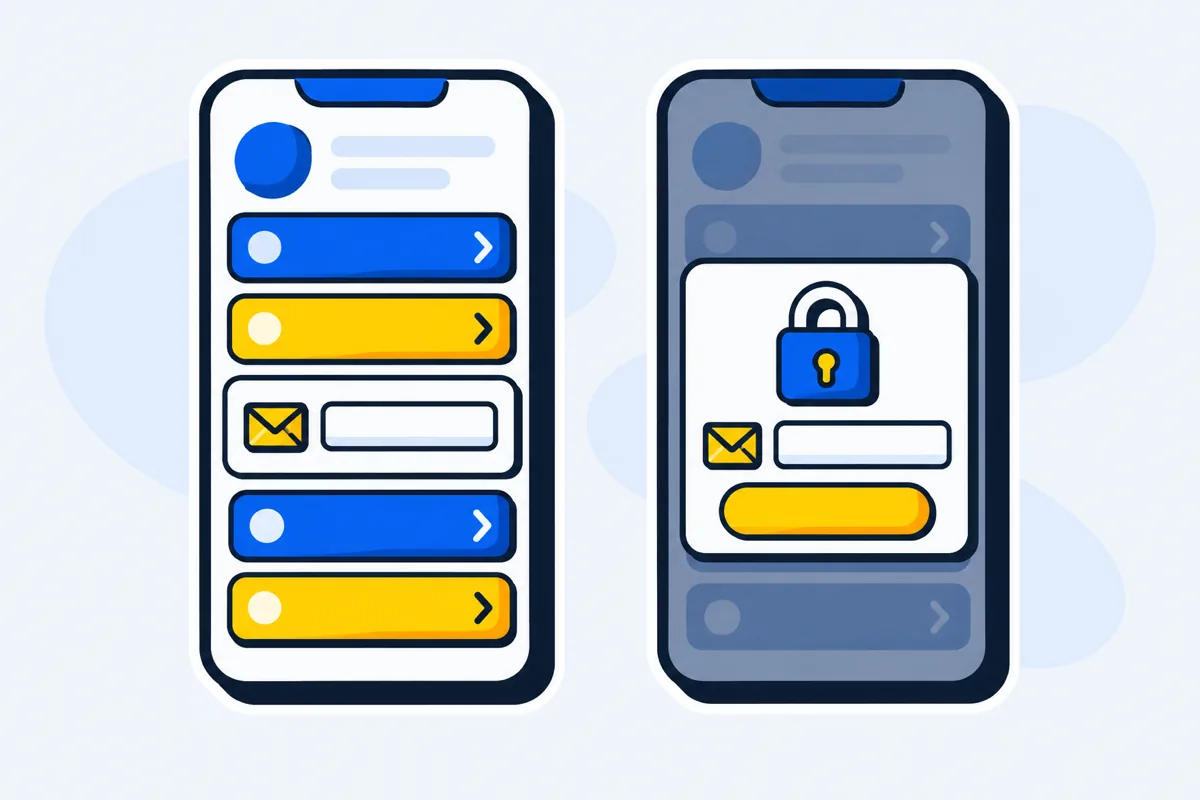
A lock suits a private drop or a page for people who already know you. On the page your main profile links to, it backfires: a first-time visitor came for one link and meets a wall. A locked page also stays out of search engines. Locking a page behind an email is included on every plan.
Common questions
Can a signup deliver a free download?
Yes, through your newsletter tool: put the file link in its welcome email and connect that tool to the block. LinkTwin saves the address and passes it on; it doesn't send files itself. Don't park the download link in the success message, where it can't be tapped.
What happens to my list if I change newsletter tools?
The saved copy stays in LinkTwin. Point the block at the new tool and carry on. Move people who are already subscribed from the old tool's own export, not from the LinkTwin CSV, because only the old tool knows who has unsubscribed since they signed up.